
Tech
Does Buying a 4K TV Mean You Can Actually Watch 4K Content?


If you walk into any electronics shop in Dhaka, Chattogram, or even a smaller district town, the salesperson will almost always tell you the same thing: “Sir, this is a 4K TV, the picture quality is just like a cinema.” Many people trust those words, spend a good chunk of money, bring the TV home, switch it on, and then feel let down. The picture does not look all that different from their old TV.
The reason for that disappointment is one simple truth that almost nobody in the shop will tell you: buying a 4K TV does not automatically mean you will watch 4K content.
What Does 4K Actually Mean
A 4K TV means the screen can display 3840 × 2160 pixels, which is four times more than a regular HD TV. But having all those pixels on the screen is only half the story. The content you are watching also needs to be in 4K quality. If it is not, the TV just stretches a lower-quality image to fill the screen, which is called upscaling. An upscaled image does not look the same as real 4K.
What You Actually Need to Watch 4K
Buying the TV is just the first step. A few other conditions also have to be met at the same time.
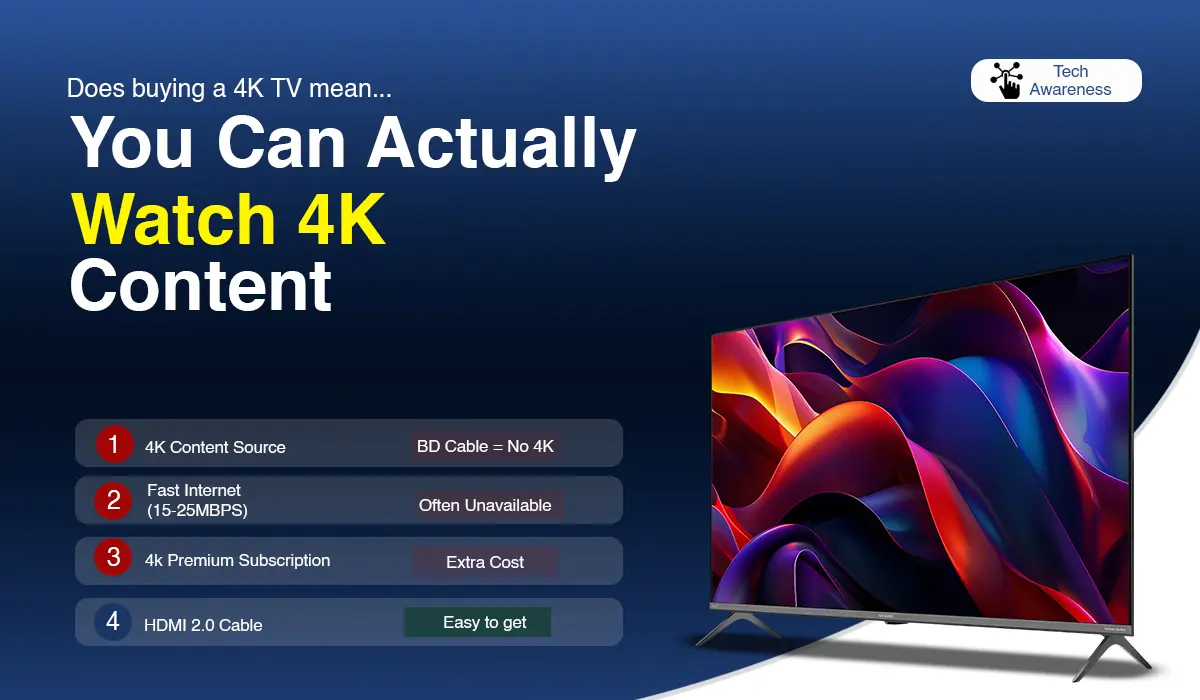
First, you need 4K content to watch. Almost every cable TV channel in Bangladesh currently broadcasts in HD quality or lower. Even DTH services have very limited 4K channels available. So if you are mostly watching cable TV, the chances of getting a real 4K picture from that 4K TV are quite low.
Second, you need a fast and stable internet connection. To stream 4K on Netflix or YouTube, you generally need at least 15 to 25 Mbps of steady internet speed. In many parts of Bangladesh, this speed is not consistently available, especially at night when more people are online at the same time.
Third, you need the right subscription or service. To watch 4K on Netflix, you have to be on their Premium plan. The standard plans do not include it. YouTube has some 4K content available for free, but the selection is limited.
Fourth, you need the correct cable connection. To get proper 4K video, you need an HDMI 2.0 cable or a higher version. An older HDMI cable cannot handle 4K at 60Hz.
The Difference Between 4K Native and 4K Upscaling
Something shops often forget to mention is whether the TV is truly 4K native or whether it only does 4K upscaling. Upscaling means the TV is taking HD content and using technology to make it look something like 4K. The result can be decent, but it is not the same as watching content that was actually recorded and produced in 4K.
What You Should Do Before Buying
Before spending money on a 4K TV, think honestly about whether you have any real 4K content to watch at home. Check your internet speed and find out if it can handle 4K streaming consistently. If you are planning to subscribe to a streaming service that offers 4K, make sure that plan is in your budget before buying the TV.
Before making a decision, it helps to browse the available smart TV models and specifications on BDStall, where you can compare options from multiple brands and sellers in one place.
A 4K TV is not a bad purchase. In fact, it is a solid investment for the future. But the TV alone will not give you the full experience. If the other conditions are not in place, you will not get full value from the money you spend.


